Venues & spaces

Meeting & Conference Room Booking Software

RentalPoint gives businesses that rent meeting and conference rooms a shared view of availability, customer reservations, resources, documents and payment terms. Keep the room, organizer and supplied equipment connected in one booking record.

Explore room booking features
An empty meeting room with a conference table, chairs and wall-mounted display
From room request to prepared spaceKeep supplied equipment and customer details connected
Optional Online Rental Store - Take rental bookings 24/7

Room booking software for businesses that rent spaces

Reduce scheduling conflicts and incomplete bookings

Meeting room booking software should show what is reserved and what the organizer expects to find when they arrive.

See room availability

Check real-time room availability against the requested date and time to help avoid overbooking a space. Maintain room and venue records and distinguish inquiries, tentative reservations and confirmed meetings through booking statuses.

Add the resources each room needs

Connect furniture, displays, microphones, conferencing equipment, catering-related rental items or technical crew to the reservation. Components and accessories help staff build complete room packages rather than recording the space alone.

Keep organizer details and documents together

Create quotes and room orders quickly with the space, equipment and rental period, then send quotes and contracts immediately. Retain approved documents and invoices with the booking. Set deposit and balance payment terms, with online deposit collection available as an option.


Connected operations

Meeting room scheduling software for repeatable operations

  • Organize bookings by room, date, time or session.
  • Use multiple breakouts when one organizer needs several spaces or meeting periods.
  • Apply preparation and de-preparation time for setup and reset.
  • With Professional Edition, assign technicians or other crew when the booking includes supported labor.
  • Coordinate delivery or pickup for externally supplied equipment.
  • Review room and resource activity through reporting and analytics.

Your rental workflow

From room request to reset space

01

Check the requirement

Confirm room, date, times, organizer and resource needs.

02

Create the reservation

Quote the room package and apply the correct booking status.

03

Prepare the space

Reserve setup time, equipment and any assigned crew.

04

Complete the booking

Finalize customer documents, payment and post-meeting resource return.

Manage boardrooms, training rooms and conference suites

Use room reservation software to connect each commercially rented space with its organizer, agreed equipment and booking documents. A boardroom meeting may need a display and a few microphones; a training session may also need computers and a longer setup period. Keep those requirements visible to the team preparing the room.

Optional Online Rental Store

Take rental bookings online 24/7

Let customers browse the meeting and conference rooms you offer online, choose rental dates and book anytime. Give organizers a way to reserve space outside office hours while your team prepares rooms and equipment.

Available with RentalPoint’s Online Rental Store add-on.

Explore the Online Rental Store
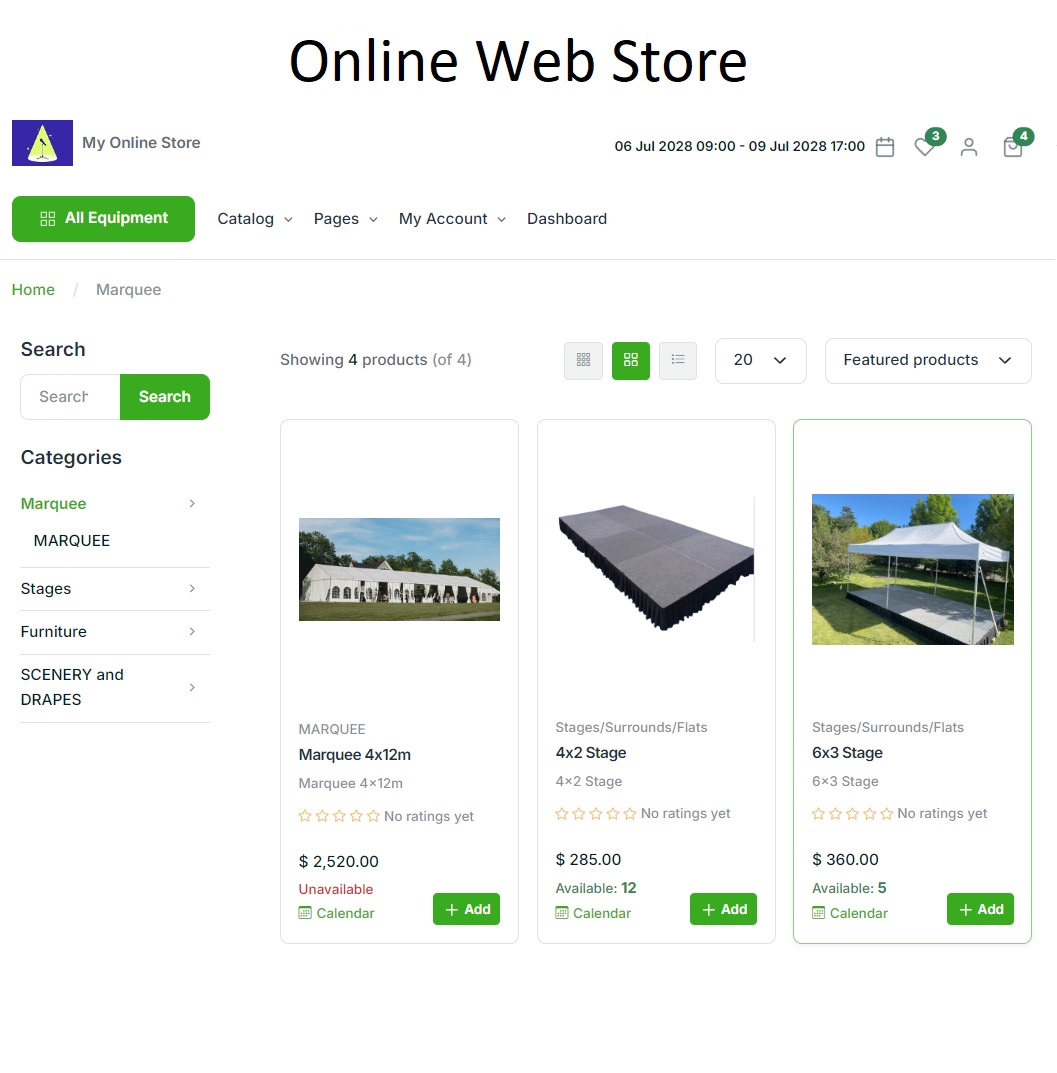
RentalPoint Online Rental Store showing an example party rental catalogue
RentalPoint Online Rental Store — example party catalogue

A complete toolkit for your rental business

Explore RentalPoint features for bookings, equipment scheduling, warehouse preparation, crew, purchasing and reporting.

RentalPoint editions

Choose the right edition for your business

Compare three RentalPoint editions and choose the right starting point for your business.

Prices are in USD per month. Yearly prices apply when paid yearly.

Included with every package

  • Unlimited support
  • Automatic updates
  • Daily backup

For pricing in your region, email sales@rentp.com.

Questions, answered

Frequently asked questions

Can RentalPoint be used as a meeting room reservation system?

Yes. RentalPoint can be configured as a meeting room booking system for spaces rented to customers. It schedules room or venue records, connects resources and equipment, manages booking statuses and keeps customer documents and payments with the reservation.

Can a booking include more than one conference room?

Yes. RentalPoint can serve as a conference room reservation system for multi-room bookings by using breakouts to separate requirements by room, date, time or session while keeping the overall booking connected.

Can rooms be offered for online booking?

Yes. Customers can book selected meeting and conference rooms anytime through the Online Rental Store add-on. Choose which rooms and packages to offer online for your commercial room-rental service.

Make room reservations easier to coordinate and fulfill

Bring availability, organizers, resources and payments into one conference room booking workflow.