Equipment rentals

Trailer Rental Software

RentalPoint brings trailer availability, quotations, reservations, deposits, pickup, return and maintenance records into one rental workflow. Track individual units and give staff a clear view of what is due out, due back or unavailable for service.

Explore trailer rental features
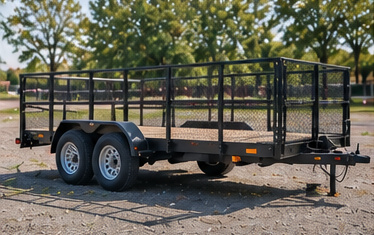
An empty tandem-axle utility trailer with mesh sides and a timber deck
From allocated unit to checked returnIndividual trailer asset records
Optional Online Rental Store - Take rental bookings 24/7

One record for every trailer rental

Move from customer request to confirmed unit

Trailer rental software should make it easy to reserve the correct unit without losing the operational detail needed at collection and return.

Track individual trailers

Create asset records for utility trailers, enclosed cargo trailers, dump trailers and equipment trailers, with barcode or QR code tracking where useful. Group units by type and organize accessories and alternatives so staff can select the right trailer and supporting items for the booking.

Protect availability and service time

Check real-time trailer availability before promising a unit to help avoid overbooking. Reservation dates, booking statuses and scheduled downtime distinguish units on rent, tentatively held or unavailable for maintenance. Preparation and de-preparation time can protect pre-hire checks and post-return inspections.

Keep commercial documents together

Create quotes and orders quickly with the selected trailer, dates, accessories and payment terms. Send quotes and contracts immediately so customers can review the details before pickup. Online deposit collection is optional, and invoices, packing lists and collection documents stay with the rental record.

Connected operations

Make pickup and return more consistent

  • Add customer and booking details to the same job used by the rental desk.
  • Prompt for supporting equipment or optional accessories.
  • Use the Interactive Day Book to see scheduled trailers leaving and returning.
  • Capture delivery instructions if the trailer is transported to the customer.
  • Scan or confirm the allocated unit through the electronic pick process.
  • Record damage or a maintenance issue before the trailer becomes available again.

Your rental workflow

From reservation to inspected return

01

Select the trailer

Confirm the unit type, dates, price, deposit and customer details.

02

Allocate the asset

Reserve a specific trailer and add required accessories or documents.

03

Complete pickup or delivery

Keep handover information and signed customer documents with the job.

04

Inspect and release

Check the trailer back in, record issues and schedule downtime where required.

Support one yard or a multi-location fleet

Start with one yard or connect branches through the Multi Location add-on. Transfer trailers or related inventory, manage operator privileges and review utilization across the fleet.

Optional Online Rental Store

Take rental bookings online 24/7

Let customers browse the utility, cargo and equipment trailers you offer online, select rental dates and book without waiting for the yard to open. Keep trailer bookings open while your team handles pickups, returns and inspections.

Available with RentalPoint’s Online Rental Store add-on.

Explore the Online Rental Store
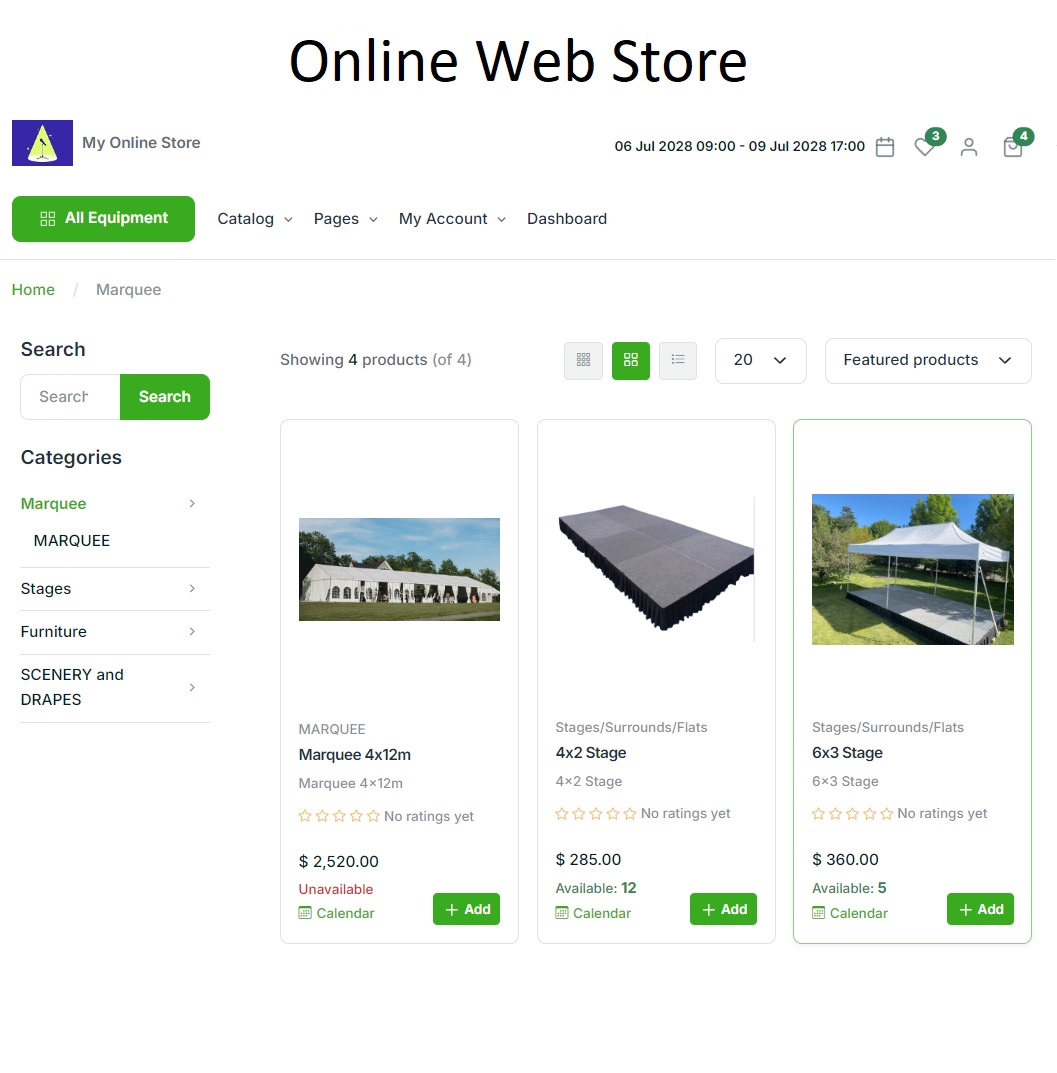
RentalPoint Online Rental Store showing an example party rental catalogue
RentalPoint Online Rental Store — example party catalogue

A complete toolkit for your rental business

Explore RentalPoint features for bookings, equipment scheduling, warehouse preparation, crew, purchasing and reporting.

RentalPoint editions

Choose the right edition for your business

Compare three RentalPoint editions and choose the right starting point for your business.

Prices are in USD per month. Yearly prices apply when paid yearly.

Included with every package

  • Unlimited support
  • Automatic updates
  • Daily backup

For pricing in your region, email sales@rentp.com.

Questions, answered

Frequently asked questions

Can RentalPoint reserve a specific trailer?

Yes. RentalPoint can track serialized assets and allocate individual units to a booking, while pooled inventory can be managed by quantity where that better suits the product.

Can deposits and staged payments be included?

Yes. Invoices can use payment terms such as deposits, amounts due on delivery and later balances. Online payment is available through Stripe.

How are maintenance and inspection holds managed?

Maintenance issues and downtime can be recorded against the asset. Preparation and de-preparation periods can also protect time for checks before pickup and after return.

Give every trailer booking a clear operational record

Connect reservations, payments, handover details and maintenance status in one system.